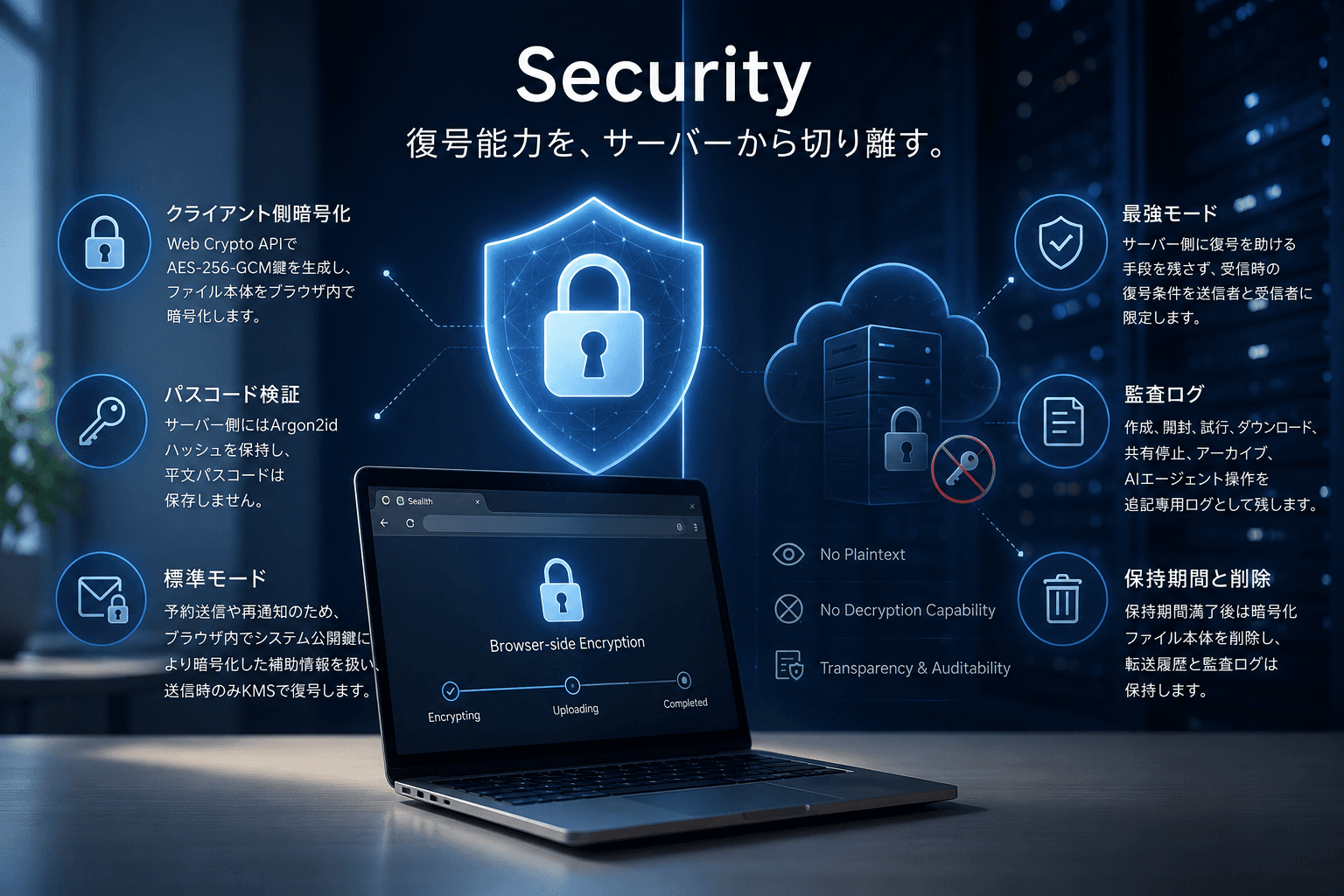
Security
Separate decryption capability from the server.
Sealith discloses how browser-side encryption works, where Standard and Strict modes differ, what data is retained, when access stops, when encrypted payloads are deleted, and how audit logs are handled.

Client-side encryption
Sealith generates AES-256-GCM keys with the Web Crypto API and encrypts file bodies or short secure text inside the browser.
Passcode verification
The server stores an Argon2id verifier and does not store plaintext passcodes.
Standard mode
For scheduled delivery and re-notification, Standard mode uses helper data additionally wrapped with a system public key and only unwraps it with KMS at delivery time.
Strict mode
Strict mode leaves the server without a recovery path and keeps decryption conditions limited to the sender and recipient.
Audit log
Create, open, attempt, download, revoke, archive, and AI-agent actions are written to an append-only audit log.
Retention and deletion
When retention expires, the encrypted payload is deleted while transfer history and audit logs remain.
Explicit boundaries
Rather than implying absolutes, Sealith describes where decryption capability lives in Standard and Strict mode, what is stored, and when deletion happens.
Stored data
Sealith stores encrypted files or encrypted text, destination URLs for URL shares, recipients, expiry, download controls, and audit-log metadata. Text bodies are not stored in plaintext.
Strict mode
In Strict mode, Sealith does not keep a path to recover the passcode.
Standard mode
In Standard mode, passcode recovery through KMS is limited to delayed passcode delivery.
Chrome extension
The Chrome extension helps convert visible shared URLs into Sealith URL shares. It is available on all plans within plan limits, but it does not yet enforce Google Workspace-wide controls or guarantee detection of every untracked share.
Archive
Archive hides items from the default list. It is not deletion, and share state plus audit logs remain intact.
Access stop conditions
Recipient access can stop through revoke, expiry, or download-limit exhaustion.
Plan boundary
Agent Tokens and MCP are available on Business and above, team management / Cc/Bcc / scheduled sends on Team and above, and archive / CSV export on Starter and above.
Free includes revoke and audit logs. Starter adds archive, open notifications, and CSV export. Team adds multi-admin use, invitations, Cc/Bcc, and scheduled sends. Business adds Agent Tokens and MCP integration.
Trust operations
Share the information procurement reviews actually ask for.
Before formal certifications, Sealith publishes the operational material teams ask for first: vulnerability reporting, DPA contact, retention posture, and subprocessors policy.
Vulnerability reporting
Report vulnerabilities or security concerns to support@sealith.com. Sealith will review the impact and share status updates as needed.
DPA / security materials
For DPA requests, security review packets, or procurement documents, contact support@sealith.com.
Data retention and deletion
Sealith publishes how encrypted payloads, audit logs, and billing evidence are retained.
Subprocessors
Sealith may use subprocessors where required to deliver the service. Contact support if you need the current list or review detail.
Security review readiness
Before a penetration test or procurement review, Sealith can align scope, test accounts, dummy data, and communication channels.
View the checklistFAQ
Security FAQ
Questions teams usually ask before they approve a secure file-sharing product, focused on boundaries and auditability.
What does it mean that the server cannot read the file?
This describes the boundary of encrypted payload delivery. File bodies and short secure text are encrypted in the browser and stored on Sealith only as ciphertext. In Strict mode, the server does not keep helper material that can assist decryption. For URL sharing, Sealith stores the URL handoff context and audit trail.
What is the difference between Standard and Strict mode?
Standard mode favors delivery convenience such as URL and passcode notifications. Strict mode moves decryption conditions closer to the sender and recipient and removes server-side recovery assistance.
What remains in the audit log?
The audit log records create, open, download or text-view events, failed attempts, revoke, CSV export, and AI-agent operations. It does not include file contents, text bodies, or plaintext passcodes.
Is Sealith a long-term file storage service?
No. Sealith is not a storage vault like Google Drive or Dropbox. It is a transfer service for encryption, open tracking, expiry, revoke, and audit logs during external delivery. When retention expires, encrypted payloads are deleted while transfer history and audit logs remain as evidence. Keep original long-term records and versions in your storage or document-management system.
What does the Chrome extension do?
The Chrome extension helps turn the current page URL, a clipboard URL, or a manually entered URL into an audited Sealith URL share. It can also show light detection banners in Gmail and Google Drive. It is available on all plans within each plan’s limits.
Which plan includes AI-agent integrations?
Agent Tokens and MCP are available on Business and above. AI actions are logged in a way that distinguishes them from human actions.
Where should I report a vulnerability?
Send impact, reproduction steps, and screenshots or logs to support@sealith.com.